Cheapest Image Generation API: Cost-Per-Usable Comparison
Compare current image API rates across Omev, Replicate, ModelsLab, fal.ai, Runware, and OpenAI, then calculate the cost of each image your team can actually use.

By Di Reshtei, Co-founder of OmevAI · X
Published · Updated
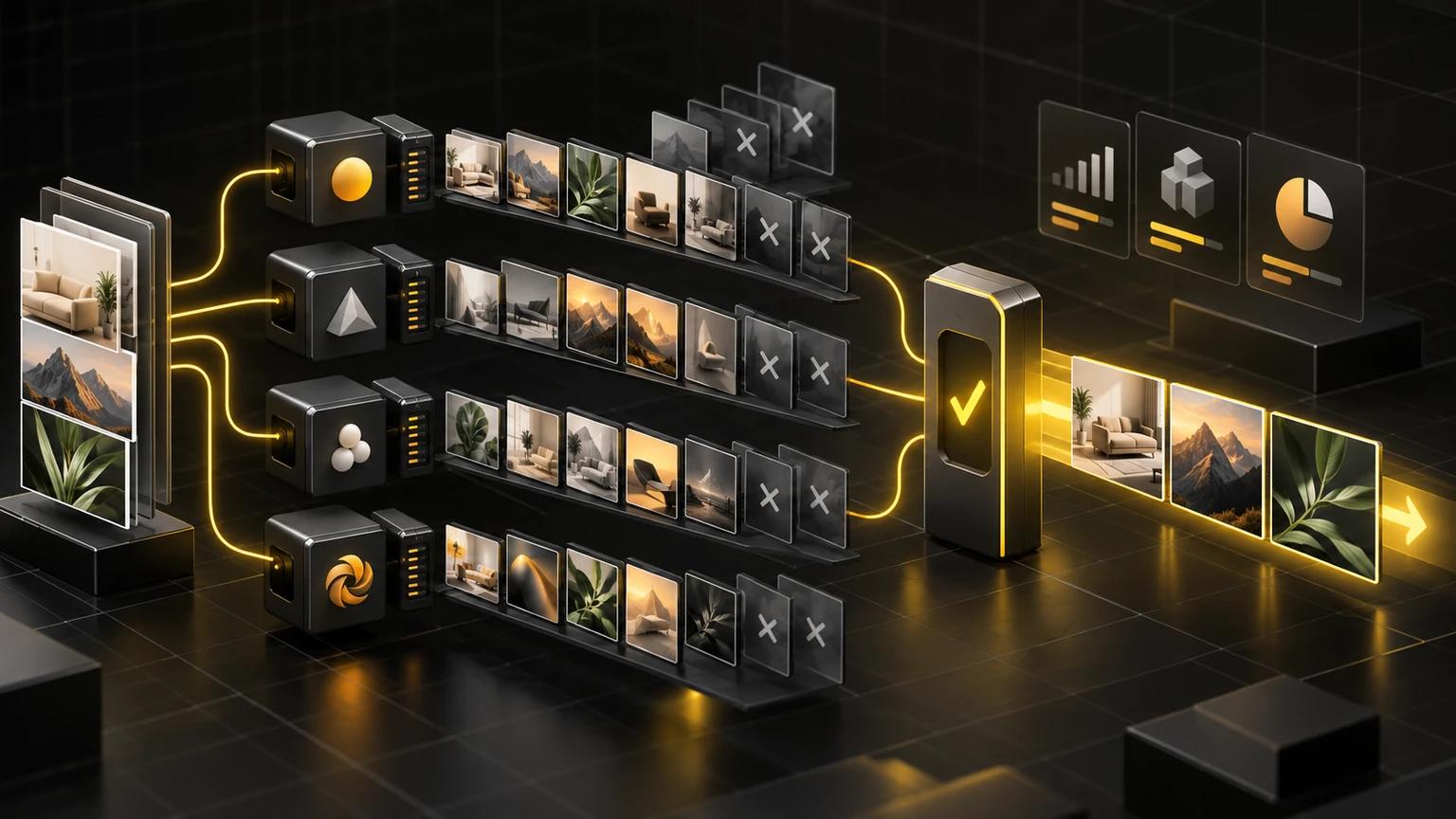
Cheapest image generation API: raw price versus usable cost
“Cheapest image generation API” sounds like a simple price query, but the comparison is only meaningful after you define what an image is. A delivered 1K image, a 2K image, a megapixel-priced generation, and a token-billed editing request are different products with different billing units.
Compare like with like before choosing the cheapest API
A useful comparison should name four variables:
- The model or configuration, because provider-wide prices can hide substantial differences between endpoints.
- The output size, such as 1K, 2K, 4K, or a megapixel quantity.
- The delivery mode, including synchronous delivery or asynchronous jobs.
- The billing unit, such as per image, per megapixel, per token, or a subscription allowance.
For example, Replicate publishes a $0.003 price per output image for its FLUX.1 schnell endpoint, while fal.ai lists Luma Photon Flash at $0.005 per megapixel. Those rates should not be treated as quality-equivalent or directly interchangeable without matching the requested resolution and workflow (Replicate FLUX.1 schnell API, fal.ai Luma Photon Flash API).
Omev’s published rates are clearer when the workload is a reference-led image workflow: Image Lite costs $0.0192 per delivered 1K image, Image Jobs costs $0.021 per delivered asynchronous 1K image, and Image Pro costs $0.024 per delivered 1K-class image (Omev multi-reference image generation API). That makes Omev’s Lite rate not the lowest raw per-image price in this comparison. Its relevance depends on whether accepting multiple references, preserving product identity, and measuring accepted assets matter more than selecting the lowest headline rate.
For buying decisions, weigh what each accepted asset costs:
Cost per usable image = total provider spend ÷ accepted images
This includes billed generations that are later rejected, as well as paid retries. Omev states that failed requests cost $0, while delivered images later rejected by the customer are billed. That distinction matters for production planning because a low delivered-image rate can still produce a higher effective cost if the workflow requires many rejected outputs (Omev multi-reference image generation API).
Which image generator API should you evaluate first?
If you need a fast starting point, evaluate Omev Image Jobs first for reference-led product or brand scenes, Replicate FLUX.1 schnell for the lowest named raw image rate, and ModelsLab when broad model choice or a subscription-style plan matters. The right comparison is not price alone. Cost per usable image equals total provider spend divided by accepted images, including paid rejected outputs and retries.
| Buyer need | First option to evaluate | What to test |
|---|---|---|
| Reference-led product or brand scenes | Omev Image Jobs | Test 1K-class outputs using 1–9 public reference image URLs, and measure accepted images from the same representative brief. |
| Lowest named raw-rate case | Replicate FLUX.1 schnell | Compare its published $0.003 per output image with the accepted-output rate, image size, workflow, and review requirements. |
| Broad model choice or subscription-style plan | ModelsLab | Check the exact subscription plan and model before comparing prices. |
| Direct prompt-only image generation | Omev Image Lite | Test interactive prompt-only requests at $0.0192 per delivered 1K image. |
Omev Image Jobs starts at $0.021 per delivered image at the low quality tier for its asynchronous 1K-class route. Its direct prompt-only Image Lite option starts at $0.0192 per delivered 1K image. You can review the Omev image generation API, but API access is enabled on request, so registration alone does not mean the key is active.
Replicate’s published $0.003 price for the named FLUX.1 schnell endpoint is lower than Omev Lite’s raw price. That does not establish equivalent output quality, size, or workflow suitability. Run the same representative workload through each candidate, record accepted images, and include retries and rejected paid outputs. The best first test is therefore a small, realistic batch, not a purely theoretical price comparison.
Omev AI · First option to evaluate
Omev AI: multi-reference image workflows with clear rate bands
Omev AI is best evaluated as a workload-specific option for reference-led image generation, not as the provider with the lowest headline price. Its published rate bands are straightforward, but they serve different output sizes and delivery modes. The right question is therefore whether your team needs a workflow built around multiple reference images, rather than whether Omev has the cheapest raw cost per generated image.
Where Omev fits
Omev accepts one to nine reference images for workflows involving product identity, packaging, style, and composition. That makes it relevant when the input brief includes visual material that must guide the generation, such as a product packshot combined with a preferred scene or visual style. The documented capability is a workload fit, not a claim of comparative quality or universal suitability (Omev multi-reference image generation API).
Omev publishes three list-rate configurations:
| Omev configuration | Published price | Output and delivery basis |
|---|---|---|
| Omev AI Image Lite | $0.0192 | Delivered 1K image |
| Omev AI Image Jobs | $0.021 | Delivered asynchronous 1K image |
| Omev AI Image Pro | $0.024 | Delivered 1K-class image for embedded-text briefs |
The $0.0192 Image Lite rate is not the lowest raw price in this comparison. For example, the documented Replicate FLUX.1 schnell endpoint is priced at $0.003 per output image, while fal.ai lists Luma Photon Flash at $0.005 per megapixel. Those figures use different named models, output assumptions, and billing units, so they should not be interpreted as a quality-equivalent ranking (Replicate FLUX.1 schnell API, fal.ai Luma Photon Flash API).
Omev's more defensible position is in reference-heavy repetitive workloads where the buying team wants to compare accepted assets rather than only delivered generations. The provider recommends tracking cost per usable image, acceptance rate, retry rate, and generations per accepted asset. It also states that failed requests cost $0, while delivered images later rejected by the customer are billed (Omev multi-reference image generation API). That billing distinction should be included in your forecast, particularly if your workflow routinely generates several candidates before approving one.
Rate bands are useful for workload planning
Image Jobs is the asynchronous variant of the 1K tier, so use it only when job-style delivery fits your pipeline. Image Pro is a 1K-class quality lane for embedded text, not a larger-resolution tier. Compare it on the same brief and acceptance rules.
The following examples are illustrative calculations based only on the published list rates, before any rejected delivered images are included:
| Monthly delivered images | Omev AI Image Lite at $0.0192 | Omev AI Image Jobs at $0.021 | Omev AI Image Pro at $0.024 |
|---|---|---|---|
| 1,000 | $19.20 | $21.00 | $24.00 |
| 10,000 | $192.00 | $210.00 | $240.00 |
| 100,000 | $1,920.00 | $2,100.00 | $2,400.00 |
These totals are not predictions of your final production bill. They assume that every listed generation is delivered and that the volume is charged exactly at the published rate. Your operating cost can be materially different if the team rejects delivered outputs, retries prompts, or changes output size. Omev's own guidance is to measure the workflow using accepted assets, not just generated assets (Omev multi-reference image generation API).
For teams comparing several providers, record the same fields for every test: model or configuration, resolution, delivery mode, billed generations, accepted images, and total provider spend. A small test using your actual reference images can reveal whether the lower per-image rate from another endpoint remains attractive after acceptance and retry behavior are included. For Omev's full capability and rate description, review the Omev multi-reference image generation API.
Important data and workload limitations
Omev is not automatically the right choice for every image-generation workload. Choose another provider when raw entry price is the primary decision criterion and a named low-cost endpoint meets your requirements. Replicate, for example, publishes a $0.003 per-output-image price for FLUX.1 schnell, which is lower than Omev's listed Lite rate, although that comparison does not establish equivalence in resolution, workflow, or output quality (Replicate FLUX.1 schnell API).
You should also look elsewhere when you need a broad model catalog or want to select among many provider-hosted models. Omev's documented fit in this comparison is narrower, centered on multi-reference image workflows and its published Image Lite, Image Jobs, and Image Pro rate bands. It should complement an existing provider on suitable repetitive workloads, not be treated as a universal replacement.
Data handling is another material disqualifier. Omev's customer content terms state that self-service customer content is used to improve Omev models without an opt-out, and that self-service requests must not include personal data. Buyers need to confirm that their intended reference images, product materials, and other inputs are permitted before testing (Omev customer content terms). If your workflow includes sensitive content that conflicts with those terms, do not move it into self-service production merely because the listed image rate fits your budget.
The practical recommendation is simple: consider Omev first when the workload is repetitive, reference-led, and measurable by accepted assets. Consider another provider when you need the lowest raw endpoint price, a wider model selection, or data terms that better match your governance requirements.
Replicate: named low-cost endpoint pricing
Replicate’s FLUX.1 schnell endpoint is a useful low-cost reference point, but its published price should be read as an endpoint-level rate, not as a universal Replicate image-generation price. The official endpoint lists $3 per 1,000 output images, equivalent to $0.003 per output image, and labels the model for commercial use. Replicate also states that inputs and outputs are not used for training (Replicate FLUX.1 schnell API).
What the published price does, and does not, tell you
At the headline level, $0.003 per output image is lower than Omev’s $0.0192 Image Lite rate. That makes Replicate a relevant option when the primary buying criterion is the lowest documented raw price for a named image endpoint. However, this is not a quality ranking, and the prices should not be treated as directly interchangeable. The comparison involves a specific FLUX.1 schnell configuration on Replicate, while Omev’s listed Image Lite rate applies to a delivered 1K image in a multi-reference workflow (Replicate FLUX.1 schnell API, Omev multi-reference image generation API).
| Provider and named configuration | Published rate | Billing unit | Important comparison limit |
|---|---|---|---|
| Replicate FLUX.1 schnell | $0.003 | Per output image | Named endpoint price, not a universal Replicate rate |
| Omev AI Image Lite | $0.0192 | Per delivered 1K image | Reference-led workflow rate |
| fal.ai Luma Photon Flash | $0.005 | Per megapixel | Different named model and billing unit |
The safest interpretation is therefore conditional: Replicate is cheaper on the published raw endpoint rate for this named model, but that does not establish that it is cheaper for every resolution, model choice, or production workflow. Replicate’s documented price is specifically for FLUX.1 schnell, rather than a blanket price covering every image model available through the platform (Replicate FLUX.1 schnell API).
Illustrative volume planning
The following totals are illustrative calculations based on the published FLUX.1 schnell rate, assuming one billed output image for each requested image and no additional workflow costs:
| Monthly output images | Replicate FLUX.1 schnell at $0.003 | Omev AI Image Lite at $0.0192 | Difference in listed generation spend |
|---|---|---|---|
| 1,000 | $3.00 | $19.20 | $16.20 |
| 10,000 | $30.00 | $192.00 | $162.00 |
| 100,000 | $300.00 | $1,920.00 | $1,620.00 |
These figures are not a forecast of final production cost. They assume that the compared outputs are suitable for the same workload, that each request produces one billed output, and that every delivered image is accepted. Those assumptions may not hold when a team needs multiple references, retries prompts, rejects delivered images, or uses a different model or output configuration.
For that reason, a SaaS team should record model, resolution, delivery mode, billed generations, accepted assets, and total provider spend during a controlled test. The relevant commercial question is not only “What does one output cost?” but also “How much do we spend for one output that the product team actually keeps?”
Where Replicate is the better fit
Replicate is a strong candidate for evaluation when you need a named low-cost image endpoint, want to use FLUX.1 schnell specifically, and can assess the resulting workflow using your own acceptance criteria. Its published endpoint price also makes it a practical baseline for a cost comparison, particularly when your workload does not require the reference-led capability documented for Omev.
Choose Replicate first when raw entry price matters more than multi-reference workflow fit. The available evidence supports the $0.003 figure for FLUX.1 schnell, but it does not support applying that number to every Replicate model or treating it as the platform’s universal image rate (Replicate FLUX.1 schnell API).
Omev remains relevant when the workload specifically involves one to nine reference images for product identity, packaging, style, or composition. Its listed Image Lite rate is higher, so it should not be presented as the cheapest raw option. Its documented role is better understood as a complementary provider for suitable repetitive, reference-led workloads, while Replicate can remain connected for lower-cost model-specific generation (Omev multi-reference image generation API).
Before switching volume, compare cost per usable image, not just cost per delivered image. A provider with a lower listed rate may still require more generations to produce one accepted asset. Conversely, a higher-priced configuration may be commercially reasonable if it reduces avoidable retries for the specific workflow. The available sources do not provide a comparative acceptance or quality benchmark, so that part of the decision must come from your own workload measurement. For the reference configuration used in this comparison, review the Omev multi-reference image generation API.
ModelsLab: subscription tiers and unlimited-plan economics
ModelsLab's subscription structure makes it a different cost proposition from a simple per-image endpoint. Its published rates distinguish between self-hosted open-source models and partner models, so the plan price should not be treated as a universal rate for every image model available through the platform (ModelsLab image generation API).
Self-hosted model economics
For self-hosted image models, ModelsLab lists $0.0047 per image on both its Basic and Standard plans. The Basic plan is published at $21 per month, while the Standard plan is $47 per month. These figures describe the published plan structure for self-hosted models, not a guaranteed all-in cost for every workload or configuration (ModelsLab image generation API).
| ModelsLab plan or configuration | Published plan price | Published image economics | Key limitation |
|---|---|---|---|
| Basic | $21/month | $0.0047 per image on self-hosted models | Self-hosted open-source models only |
| Standard | $47/month | $0.0047 per image on self-hosted models | Self-hosted open-source models only |
| Open Source Unlimited | $149/month | No per-image charge on self-hosted open-source models | Partner models are billed separately |
The Open Source Unlimited plan lists a $149 monthly price with no per-image charge for self-hosted open-source models. At 100,000 images, the plan price alone works out to an illustrative $0.00149 per image, commonly rounded to about $0.0015. That is a plan-cost calculation, not a claim that every image workload will have that final effective cost. It excludes any other expenses and assumes the full volume uses eligible self-hosted open-source models (ModelsLab image generation API).
| Monthly self-hosted images | Basic or Standard image charge at $0.0047 | Open Source Unlimited plan-only equivalent at $149/month* |
|---|---|---|
| 1,000 | $4.70, plus the applicable monthly plan | $0.149 per image |
| 10,000 | $47.00, plus the applicable monthly plan | $0.0149 per image |
| 100,000 | $470.00, plus the applicable monthly plan | $0.00149 per image |
* Illustrative calculation, using only the published $149 monthly plan price divided by the stated image volume. It does not include other costs or imply that all requests qualify for unlimited self-hosted usage.
At low volume, the unlimited plan's plan-only equivalent can look high because the fixed monthly fee is spread across fewer images. At higher volume, the fixed fee is spread more widely, which changes the arithmetic. The correct comparison depends on eligible image volume, model selection, resolution, and the proportion of requests using self-hosted versus partner models.
Partner models are a separate cost question
The most important qualification is that partner models are billed separately from the wallet or allowance. The Open Source Unlimited plan does not make every third-party model free. A team that selects partner models must therefore evaluate those model charges separately rather than applying the $0.0015-at-100,000-images calculation to the entire account (ModelsLab image generation API).
This distinction matters for SaaS teams building a routing policy. A workload may appear to fit the unlimited plan by volume, but its actual economics can change if the required model is a partner model, if the team switches between model families, or if the selected configuration changes the applicable billing basis. Before committing volume, classify each workload as:
- Self-hosted open-source generation, potentially eligible for the published unlimited-plan economics.
- Partner-model generation, which requires separate cost treatment.
- Mixed routing, where only part of the workload benefits from the self-hosted plan.
ModelsLab also documents support for text-to-image, image-to-image, inpainting, and ControlNet through dedicated endpoints. Those capabilities can make the platform relevant for more than simple text-to-image generation, but the available evidence does not establish comparative quality, latency, acceptance rates, or cost parity across those workflows (ModelsLab image generation API).
When ModelsLab is the cheaper fit
ModelsLab deserves evaluation when your workload can use self-hosted open-source models, volume is high enough for a subscription structure to make economic sense, and you want image-to-image, inpainting, or ControlNet workflows in addition to text-to-image generation. At very high eligible volume, the published unlimited-plan arithmetic can produce a lower plan-only cost per image than Omev's $0.0192 delivered 1K Image Lite rate or its $0.021 delivered asynchronous 1K Image Jobs rate (ModelsLab image generation API, Omev multi-reference image generation API).
That does not make ModelsLab universally cheapest. The comparison is only valid after confirming that the images use the eligible self-hosted model category and that the output requirements are comparable. A $149 subscription divided across 100,000 eligible images is not equivalent to a per-delivered-image rate when the workloads use different models, resolutions, or billing rules.
For reference-led workflows, Omev may still be worth testing alongside ModelsLab. Omev accepts one to nine reference images for product identity, packaging, style, and composition workflows, while ModelsLab's documented capabilities emphasize model and endpoint categories rather than the same published multi-reference rate structure (Omev multi-reference image generation API, ModelsLab image generation API). The available evidence does not support a quality or acceptance-rate ranking, so the buying decision should be based on your own accepted-asset data.
Keep the comparison focused on eligible workload volume and billing unit using the Omev multi-reference image generation API reference, then apply cost per usable image as defined in this guide.
fal.ai: megapixel-based billing for named models
fal.ai uses a megapixel-based billing model for some image-generation endpoints, so its pricing must be compared by matching the requested output size and named model. The official Luma Photon Flash endpoint is listed at $0.005 per megapixel and is marked for commercial use (fal.ai Luma Photon Flash API). That is a different billing unit from Omev's per-delivered-image rates and Replicate's named per-output-image price.
How megapixel billing changes the calculation
With a megapixel-priced endpoint, the basic generation cost is:
Cost per image = price per megapixel × output megapixels
For Luma Photon Flash, a one-megapixel output would therefore carry an illustrative generation charge of $0.005, assuming the endpoint's listed unit applies directly to that output. A two-megapixel output would be $0.010, and a four-megapixel output would be $0.020. These are arithmetic examples based on the published $0.005-per-megapixel rate, not a universal fal.ai price or a quality comparison (fal.ai Luma Photon Flash API).
| Named configuration | Published rate | Billing unit | What must be matched |
|---|---|---|---|
| fal.ai Luma Photon Flash | $0.005 | Per megapixel | Output pixel count and selected model |
| Omev AI Image Lite | $0.0192 | Per delivered 1K image | Delivered image tier and reference-led workflow |
| Replicate FLUX.1 schnell | $0.003 | Per output image | Named endpoint and its output configuration |
This means fal.ai's listed rate cannot be described simply as "cheaper" or "more expensive" than a per-image provider without defining the output size. A one-megapixel Luma Photon Flash generation at an illustrative $0.005 is below Omev's $0.0192 delivered 1K Image Lite rate, while a four-megapixel calculation at $0.020 is slightly above it. The comparison still does not establish equivalent quality, model behavior, acceptance rate, or workflow fit.
fal.ai pricing varies by model and billing basis
The available evidence covers one named fal.ai endpoint, Luma Photon Flash. It does not establish a single image-generation rate for the whole fal.ai platform. Other models may use different prices or billing units, so buyers should inspect the exact model page and record the configuration used in testing (fal.ai Luma Photon Flash API).
For planning, keep these variables separate:
- Named model, because the published rate applies to Luma Photon Flash specifically.
- Output resolution, because megapixel billing changes with the number of pixels.
- Generation mode, such as text-to-image or another supported configuration.
- Accepted-asset rate, because billed generations that are rejected still affect the effective cost of production.
A volume estimate based only on megapixels can therefore understate the real budget when the team generates several candidates for every accepted asset. The relevant operational measure is still cost per usable image, calculated as total provider spend divided by accepted images. The available fal.ai source does not provide a comparative acceptance or retry benchmark, so those values must come from the buyer's own workload test.
When fal.ai is a strong cost candidate
fal.ai is worth evaluating when your team wants model-specific pricing, can plan around a megapixel billing unit, and does not need the cost predictability of a fixed per-delivered-image rate. It may be attractive for workflows where the selected model and output size produce a lower calculated generation cost than the alternatives being considered.
Omev remains a different fit. Its published rates are $0.0192 per delivered 1K Image Lite, $0.021 per delivered asynchronous 1K Image Jobs image, and $0.024 per delivered 1K-class Image Pro image. Omev Image Jobs also accepts one to nine reference images for product identity, packaging, style, and composition workflows (Omev multi-reference image generation API). Its Lite rate is not the lowest raw price in this comparison, but it may belong in a routing test for repetitive, reference-led workloads.
A practical comparison should run the same representative task through the chosen fal.ai configuration and the existing provider, then record resolution, billed generations, accepted images, retries, and total spend. Keep the current provider connected while testing rather than assuming one billing model is best for every workload. For a matched workflow comparison, use the Omev multi-reference image generation API page as the reference configuration.
Runware: pay-as-you-go without subscriptions

Runware uses a pay-as-you-go pricing model for managed model APIs, with no subscription or minimum spend. This structure can suit SaaS teams whose image volume changes over time or who want to avoid committing to a fixed monthly plan before validating a workload (Runware pricing).
How Runware pricing works
Runware does not publish a universal image-generation price in the supplied evidence. Instead, the final cost depends on the selected model, resolution, and quality settings. Runware directs buyers to the relevant model page or Playground to estimate the cost of a specific request (Runware pricing).
This makes Runware different from providers that state a clear per-image rate. A meaningful comparison should record the exact configuration:
- Model selected
- Output resolution
- Quality setting
- Number of generated outputs
- Accepted images and rejected generations
| Provider or configuration | Published pricing basis | What is known | What must be confirmed |
|---|---|---|---|
| Runware managed model API | Pay as you go | No subscription or minimum spend | Model, resolution, and quality-specific request estimate |
| Omev AI Image Lite | Per delivered image | $0.0192 per delivered 1K image | Acceptance and retry behavior for the workload |
| Replicate FLUX.1 schnell | Per output image | $0.003 per output image for this named endpoint | Whether the selected endpoint fits the required workflow |
| fal.ai Luma Photon Flash | Per megapixel | $0.005 per megapixel for this named endpoint | Output size and model-specific total |
Runware’s flexible billing means it cannot be labeled the cheapest image-generation API from the supplied evidence. The source confirms the pricing structure, but it does not provide a single comparable rate for a named Runware image model and configuration. Any claim that Runware is cheaper than Omev, Replicate, fal.ai, or another provider requires a matched request estimate.
Illustrative planning framework
For a Runware workload, build the estimate from the provider’s request-level quote rather than applying a platform-wide average. The basic planning formula is:
Estimated generation spend = estimated cost per configured request × requested outputs
This is an illustrative calculation framework, not a published Runware rate. For example, if the Runware model page or Playground estimates a request at $X, then 1,000 equivalent requests would have an illustrative generation cost of 1,000 × $X, before accounting for rejected outputs or retries.
Runware states that only successful requests that generate outputs are charged. This is useful when separating failed requests from delivered outputs, but it does not eliminate the cost of delivered images that your team later rejects. For production planning, calculate the effective cost using accepted assets rather than successful generations alone (Runware pricing).
Testing credit and pay-as-you-go fit
New business-email accounts receive $2 in testing credit, according to Runware’s pricing page (Runware pricing). This can lower the initial cost of a small technical evaluation, but it should not be treated as a production discount or a forecast of long-term economics.
Runware is a sensible candidate when you value:
- No subscription or minimum-spend commitment
- Model-specific cost estimation
- Flexible usage as volume changes
- The ability to select configurations based on resolution and quality requirements
It is less convenient for early comparisons when you need a single, immediately visible per-delivered-image rate across providers. In that case, you must first choose the exact Runware model and settings, then compare its request estimate with a matching configuration elsewhere.
Omev serves a different workload need. Its published $0.0192 Image Lite rate is higher than some named raw endpoint prices in this comparison, but Omev accepts one to nine reference images for product identity, packaging, style, and composition workflows (Omev multi-reference image generation API). Runware may be the better fit when flexible model selection and pay-as-you-go economics matter more than a documented reference-led workflow.
For a fair decision, keep your existing provider connected and test one representative task on both systems. Record the configured model, resolution, quality setting, successful outputs, rejected images, retries, and total spend. Then compare cost per usable image, not just the estimate shown before generation. Use the Omev multi-reference image generation API as the matched reference-led configuration in that test.
OpenAI: token-based image API billing
OpenAI uses a token-based billing model for image generation, so its cost cannot be reduced to one universal price per image. The final amount depends on the model, image and text inputs, cached inputs, output tokens, image size, quality, and whether the request includes partial images or editing. OpenAI’s Image API supports single-image generation and editing, while the Responses API supports conversational and multi-turn editing with image inputs (OpenAI image generation guide and calculator).
How OpenAI’s image billing works
The supplied OpenAI pricing information lists these rates for GPT Image 2.5:
| OpenAI billing component | Published rate |
|---|---|
| Image input tokens | $8 per million tokens |
| Cached image input tokens | $2 per million tokens |
| Image output tokens | $30 per million tokens |
| Text input tokens | $5 per million tokens |
| Cached text input tokens | $1.25 per million tokens |
The image output rate is therefore $30 per million image output tokens, but the number of tokens used for one image varies by the selected size, quality, model behavior, and request structure. Image input tokens and text input tokens add to the total, while cached inputs can reduce the applicable input charge when the request qualifies for cached pricing (OpenAI image generation guide and calculator).
OpenAI’s current calculator provides an example using 196 output tokens, producing an image output cost of $0.00588. That figure excludes text input, image input, and partial-image costs, so it should be treated as an example of output-token arithmetic, not as a universal per-image price (OpenAI image generation guide and calculator).
Estimated request cost = image output-token cost + image input-token cost + text input-token cost + any applicable partial-image charges
This makes OpenAI’s pricing more configuration-dependent than a provider that publishes one delivered-image rate. A SaaS team should therefore capture the exact request configuration when forecasting volume.
Illustrative volume planning
The following figures are illustrative calculations based only on the published 196-output-token example. They exclude text inputs, image inputs, cached-input effects, and partial images:
| Monthly image requests | OpenAI output-token calculation | Illustrative output-token spend |
|---|---|---|
| 1,000 | 1,000 × $0.00588 | $5.88 |
| 10,000 | 10,000 × $0.00588 | $58.80 |
| 100,000 | 100,000 × $0.00588 | $588.00 |
These totals are not a quote for a production workload. They use the calculator’s example only and assume every request has the same output-token usage. Actual cost can change when the team modifies image size, quality, prompt length, reference-image inputs, editing behavior, caching, or partial-image generation (OpenAI image generation guide and calculator).
For comparison, Omev publishes fixed list rates of $0.0192 per delivered 1K Image Lite image, $0.021 per delivered asynchronous 1K Image Jobs image, and $0.024 per delivered 1K-class Image Pro image (Omev multi-reference image generation API). Those rates use a different billing basis from OpenAI’s token model, so neither provider should be declared cheaper without matching the model, output specification, inputs, and accepted-asset rate.
OpenAI’s fit in a provider comparison
OpenAI is worth evaluating when your workflow needs image generation and editing, particularly when conversational or multi-turn editing with image inputs is relevant. Its token-based structure can also suit teams that already measure text and image token usage within a broader OpenAI workload. However, the supplied evidence does not establish comparative image quality, latency, acceptance rates, or total-cost superiority over other providers.
OpenAI may be a better fit than Omev when the workload depends on token-level input and output accounting, OpenAI-specific image workflows, or multi-turn editing. Omev may be more relevant when the repetitive workload is reference-led, since its image API accepts one to nine reference images for product identity, packaging, style, and composition workflows (Omev multi-reference image generation API).
The comparison should also include rejected outputs and retries. OpenAI’s published calculator example describes output-token cost, but the supplied source does not provide a universal rule for the cost of a delivered image that your team later rejects. Measure the complete provider spend and divide it by accepted assets:
Cost per usable image = total billed spend ÷ accepted images
For OpenAI, record model, image size, quality, text inputs, reference-image inputs, cached inputs, output tokens, partial images, retries, and accepted images. For Omev, record its selected rate tier, delivered images, rejected delivered images, retries, and accepted images. This produces a workload-specific comparison rather than a misleading headline-price ranking. For the interactive provider view, use the Omev AI vs ChatGPT API comparison tool.
How to calculate cost per usable image
The most useful formula is:
Cost per usable image = total provider spend ÷ accepted images
"Total provider spend" includes every billed generation and paid retry associated with the workflow. "Accepted images" means the assets your team actually keeps and uses, not every image returned by the API. This distinction matters because a low delivered-image price can become expensive when the workflow produces many rejected candidates.
Omev states that failed requests cost $0, while delivered images that customers later reject are billed. Therefore, a failed request does not enter provider spend, but a delivered and rejected image does. Include both facts in your measurement model rather than treating all unsuccessful outcomes as free (Omev multi-reference image generation API).
A practical measurement template
For each test or production period, record:
- Provider and named model or configuration
- Output resolution
- Delivery mode
- Number of delivered images
- Number of failed requests
- Number of billed retries
- Number of rejected delivered images
- Number of accepted images
- Total provider spend
Then calculate:
Acceptance rate = accepted images ÷ delivered images
Generations per accepted asset = billed generations ÷ accepted images
Cost per usable image = total provider spend ÷ accepted images
Calculate these metrics separately for each workload. A product-background workflow, packaging variation workflow, and social-media creative workflow may have different acceptance rates even when they use the same provider and price tier. Omev recommends measuring cost per usable image, acceptance rate, retry rate, and generations per accepted asset rather than relying solely on the advertised generation rate (Omev multi-reference image generation API).
Illustrative example
Assume a team runs a reference-led workflow using Omev Image Lite. The published rate is $0.0192 per delivered 1K image (Omev multi-reference image generation API). The following is an illustrative calculation, not a performance benchmark:
| Measurement | Example value |
|---|---|
| Delivered images | 1,000 |
| Price per delivered image | $0.0192 |
| Provider spend | $19.20 |
| Accepted images | 400 |
| Rejected delivered images | 600 |
| Cost per usable image | $0.048 |
| Generations per accepted asset | 2.5 |
Only 400 of the 1,000 delivered images were kept, so the effective cost is 4.8 cents against the advertised 1.92 cents per delivered image.
This example shows why comparing Omev’s rate with a competitor’s raw per-image price is incomplete. A competitor may have a lower listed rate, but a fair comparison requires the same task, output specification, acceptance definition, and retry policy. The provided evidence does not establish comparative quality or acceptance rates for any provider, so these values must come from your own workload test.
Include retries and rejected outputs in the decision
Count retries according to whether they generated a billed output. If a retry fails and the provider does not charge for failed requests, it increases operational activity but not provider spend. If it produces an image that is later rejected, it increases both billed generations and the numerator in your cost calculation.
For example, do not report only 400 accepted images at $0.0192 each. That approach implies a cost of $7.68 and ignores the 600 rejected delivered images. The correct calculation uses total billed spend for all 1,000 delivered images, resulting in the $19.20 provider spend shown above.
Use the same accounting method when comparing providers with different billing units. Replicate publishes $0.003 per output image for the named FLUX.1 schnell endpoint, fal.ai lists $0.005 per megapixel for Luma Photon Flash, and OpenAI’s GPT Image 2.5 pricing is token-based. These prices cannot be compared fairly until each workflow is converted into total spend per accepted asset (Replicate FLUX.1 schnell API, fal.ai Luma Photon Flash API, OpenAI image generation guide and calculator).
For a reusable planning structure, see the LLM cost optimization and billing analysis page. Use it to compare one representative workload across your existing provider and Omev before moving production volume.
When another provider is the better fit
Raw entry price is the priority
Choose another provider when the buying decision depends primarily on the lowest price per generated image, rather than on reference-led workflow fit or cost per accepted asset. Omev’s published Image Lite rate is $0.0192 per delivered 1K image, which is higher than the named Replicate FLUX.1 schnell rate. This does not establish a quality ranking because the products use different models, configurations, and documented workflow assumptions. It does mean Omev should not be presented as the cheapest raw option (Omev multi-reference image generation API, Replicate FLUX.1 schnell API).
A low headline rate can be the right fit when the workload is straightforward text-to-image generation, the team does not need multiple reference images, and the selected endpoint produces an acceptable proportion of usable assets. Before committing volume, confirm the exact model, resolution, billing unit, delivery mode, and acceptance criteria. Per-output-image rates, per-megapixel rates, subscription fees, and token-based charges are not interchangeable products.
For high-volume self-hosted open-source workloads, ModelsLab may also deserve priority. Its Open Source Unlimited plan is listed at $149 per month with no per-image charge for eligible self-hosted open-source models. At 100,000 images, the plan-only arithmetic is approximately $0.00149 per image; this is an illustrative calculation that excludes other costs and does not apply to separately billed partner models (ModelsLab image generation API).
A broad model catalog may matter more
Omev is also a weaker fit when the team requires a broad model catalog or wants to switch frequently among many third-party models. The documented Omev capability in this comparison focuses on one to nine reference images for product identity, packaging, style, and composition workflows, with three published rate bands: Image Lite, Image Jobs, and Image Pro (Omev multi-reference image generation API).
That focus is useful when a repetitive workload depends on reference material. It may be less suitable when a platform team wants a general model marketplace, extensive model experimentation, or provider-specific access to a wide range of image systems. In that case, keep the existing provider connected and route only the workloads that match Omev’s documented use case. Omev is designed to complement existing providers on suitable repetitive workloads.
When model breadth is the primary requirement, compare providers by the exact model families and operations your product needs, including text-to-image, image-to-image, inpainting, editing, and control features. The supplied evidence confirms some of these capabilities for ModelsLab and OpenAI, but it does not establish comparative quality, latency, or acceptance performance across providers (ModelsLab image generation API, OpenAI image generation guide and calculator).
Sensitive customer data may disqualify self-service use
Data governance is a separate and potentially decisive disqualifier. Omev’s customer content terms state that self-service customer content is used to improve Omev models without an opt-out. The terms also state that self-service requests must not include personal data. Before testing, buyers must confirm that their reference images, product assets, customer materials, and other inputs are compatible with those terms (Omev customer content terms).
If the workflow contains personal data, confidential customer information, regulated material, or proprietary assets that the governance policy does not permit under these terms, choose another provider or do not use Omev self-service for that workload. A suitable price and useful reference-image capability do not override data-handling requirements.
This check should happen before production volume is moved. Create a simple workload inventory that identifies the image inputs, whether they contain personal or confidential information, the applicable provider terms, and the approval owner. If the data cannot be used under Omev’s self-service terms, exclude that workload from the routing plan rather than trying to justify it through lower operational cost.
The decision is therefore conditional. Choose another provider when the lowest raw endpoint price, the broadest model catalog, or different data terms matter more than Omev’s reference-led workload fit. Consider Omev for repetitive workflows that can use one to nine references, have permitted data inputs, and will be evaluated using cost per usable image rather than headline generation price alone.
Next step: benchmark one reference-led workflow
A benchmark is most useful when it isolates one repetitive, reference-led task instead of attempting to compare entire providers at once. Choose a workflow that already runs through your current image provider, such as generating a product scene from a packshot and a preferred visual style. Keep the prompt, reference images, output specification, acceptance rule, and review process consistent. Then run the same task through Omev’s multi-reference image generation API, which accepts one to nine reference images for product identity, packaging, style, and composition workflows.
A practical side-by-side benchmark
Record the configuration before generating anything. At minimum, capture:
- Reference images used
- Accepted images under one shared rule
Use the same acceptance definition for both providers. For example, count an image as accepted only if it preserves the required product identity, follows the requested composition, and passes your existing review process. Do not change the standard simply because one provider produces more candidates.
| Measurement | Existing provider | Omev AI |
|---|---|---|
| Reference-led task | Same workflow | Same workflow |
| Output specification | Same resolution and format | Same resolution and format |
| Delivered images | Record actual result | Record actual result |
| Accepted images | Apply the same rule | Apply the same rule |
| Provider spend | Record actual bill | Use the applicable published rate |
| Cost per usable image | Spend ÷ accepted images | Spend ÷ accepted images |
For Omev, the published list rates are $0.0192 per delivered 1K Image Lite image, $0.021 per delivered asynchronous 1K Image Jobs image, and $0.024 per delivered 1K-class Image Pro image (Omev multi-reference image generation API). These rates are planning inputs, not a guaranteed final cost. Omev states that failed requests cost $0, while delivered images later rejected by the customer are billed. Include rejected delivered images in the provider-spend calculation.
Decide using accepted assets, not output volume
After the test, calculate:
Cost per usable image = total provider spend ÷ accepted images
Also compare acceptance rate, retry rate, and generations per accepted asset. Omev recommends these measures because the lowest delivered-image price does not necessarily produce the lowest cost for assets your team can actually use (Omev multi-reference image generation API).
Do not treat the benchmark as a universal quality or latency ranking. The available evidence does not establish comparative quality, acceptance, or performance across providers. Its purpose is narrower and more useful: determine whether Omev fits one defined workload under your own acceptance criteria and data requirements.
Before sending reference material, review Omev’s customer content terms. Self-service customer content is used to improve Omev models without an opt-out, and self-service requests must not include personal data. Exclude the workload if its images or inputs do not fit those terms.
If the benchmark shows that Omev’s reference-led workflow delivers an acceptable cost per usable image, keep it as a complementary provider and route only suitable repetitive workloads there. If raw entry price, a broad model catalog, or different data terms matter more, retain your existing provider instead. Image API access is enabled on request, so register with your work email to request access and test a representative reference-led sample through Request image API access before committing production volume.
Request an image API pilot
Image API access is enabled on request, so register with your work email to test a representative reference-led sample before committing production volume.
Request image API access →