Luma AI Alternatives for SaaS Video Generation APIs
A source-verified comparison of Luma AI alternatives for SaaS video generation, covering repeatable clip economics, advanced production controls and pilot evaluation criteria.

By Di Reshtei, Co-founder of Omev AI · X
Published
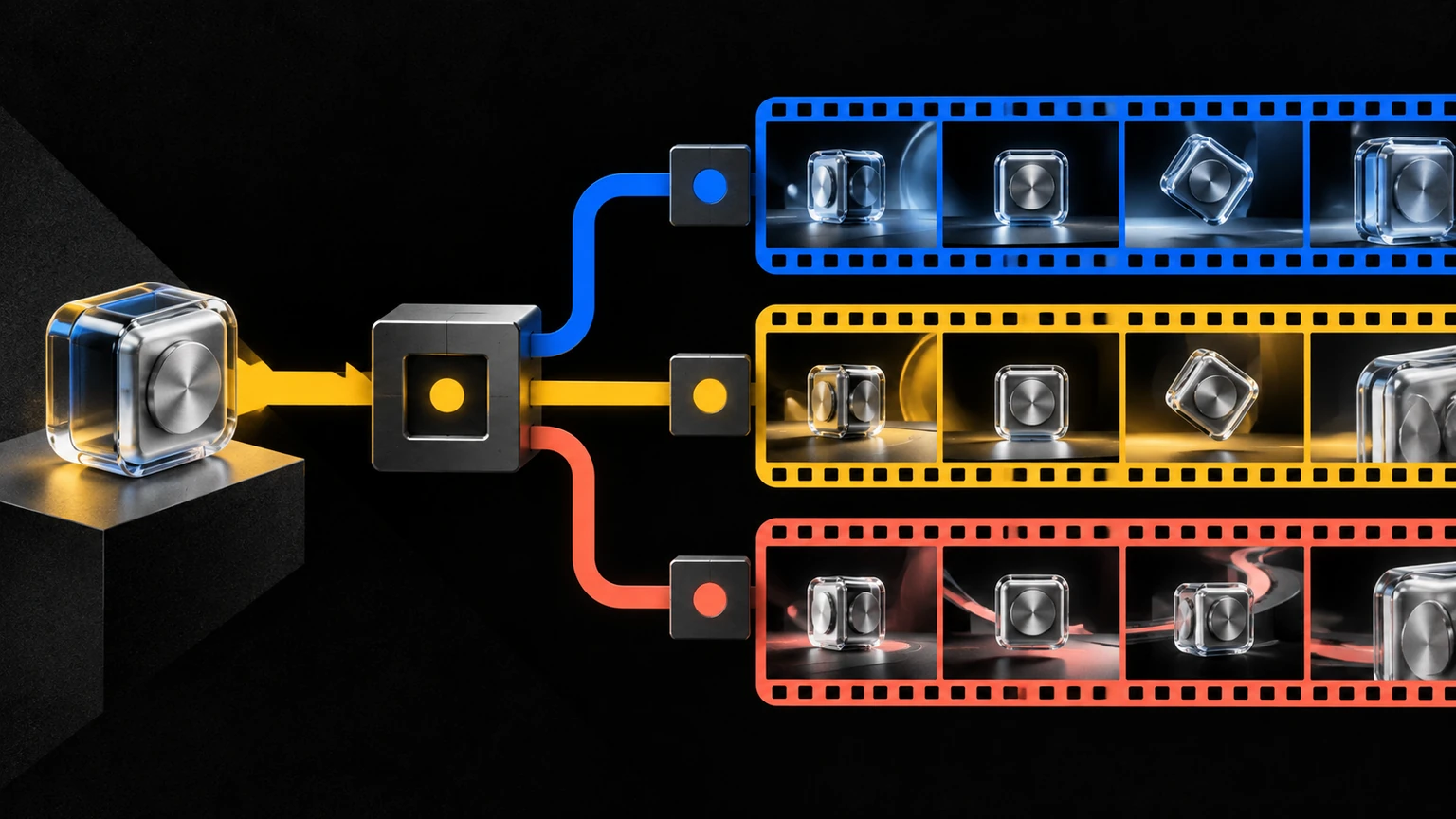
Shortlist: Five Providers by Workload Fit
SaaS teams should match their workload priority—repeatable clips, advanced controls, model breadth, or capacity commitments—to the provider best suited for that need. The shortlist below is derived from vendor documentation checked on September 25, 2026; no independent hands-on benchmark was performed. The pilot framework later in this guide defines how to collect those results.
| Option | Best fit | Main trade-off |
|---|---|---|
| Omev AI | Repeatable short product, campaign, and social video batches | Early-access video availability, with resolution, audio, output shape, and failure billing confirmed during setup |
| Luma AI | Advanced Ray3.2 creative and production controls | Higher, configuration-dependent pricing and shared capacity on Build |
| Runway | Direct proprietary video API access with professional output options | Credit-based pricing, with professional and HDR options adding credits |
| Krea | A broad curated catalogue through one API | Model availability, limits, and pricing vary and are not directly equivalent |
| fal.ai | Model-specific queued inference with webhooks | Each model has its own duration, resolution, audio, and pricing requirements |
Omev AI is the narrow first candidate for repeatable short SaaS clips, while Luma Ray3.2 API pricing and plan details remains the stronger fit when a team needs advanced keyframe and video-to-video controls, native HDR, 16-bit EXR, or provisioned capacity options. Luma documents 5- and 10-second generations, resolutions up to 1080p, and separate Build and Scale plans, with Scale offering dedicated capacity and throughput or latency SLAs through sales (Luma model information, Luma API pricing).
Runway suits teams seeking a direct vendor relationship, while Krea and fal.ai suit buyers evaluating model breadth or model-by-model selection. Their published prices describe different models and configurations, so they should not be treated as quality rankings or like-for-like cost comparisons (Runway pricing, Krea API, fal.ai Kling Video v3 Pro image-to-video pricing).
Luma AI Baseline: What Buyers Are Replacing

Luma AI’s current baseline is Ray3.2, not the legacy “Dream Machine” terminology. Luma identifies Ray3.2 as its current video model, released in June 2026, while Dream Machine and Ray2 are legacy or deprecated terms (Luma model information).
For buyers evaluating an alternative, the relevant question is what they would replace in the Ray3.2 API. Ray3.2 supports text-to-video and image-to-video, as well as Modify Video V2 for clips up to 20 seconds at 1080p. Luma also documents Multi-Keyframe with up to 16 keyframes, Reframe, native HDR, and 16-bit EXR support. Its generation API accepts five-second or 10-second durations, resolutions from 360p draft through 1080p, and start and end frames for supported generation types (Luma model information, Luma generation create method).
The commercial model also matters. Luma’s Build plan uses shared capacity, while Scale offers dedicated capacity and throughput or latency SLAs through sales (Luma API pricing). Representative Ray3.2 text-to-video or image-to-video pricing for five seconds is $0.15 at 540p, $0.30 at 720p, and $1.20 at 1080p. For 10 seconds, the corresponding prices are $0.45, $0.90, and $3.60. These are vendor-listed SDR rates; confirm separate billing and availability for HDR or EXR configurations. They are not independent quality results and are not automatically comparable with other providers’ configurations (Luma API pricing).
Keeping Luma is the sensible choice when a workload depends on advanced keyframe control, Modify Video V2, Reframe, HDR, 16-bit EXR, start and end frames, or provisioned capacity commitments. An alternative may be a better fit for a narrower workload, but it should not be treated as a feature-identical replacement without validating the exact duration, resolution, generation type, and capacity requirements.
Migration Map: Matching Requirements to Providers
Start with the workload requirement, then match it to a provider. The options below are not feature-identical: Omev AI targets repeatable short clips, Luma Ray3.2 advanced creative controls and capacity options, Runway direct proprietary API access, Krea a broad catalogue through one API, and fal.ai model-specific queued inference (Omev video API, Luma API, Runway pricing, Krea API, fal.ai Kling Video v3 Pro image-to-video pricing).
| Requirement | Best starting point | Evidence to collect |
|---|---|---|
| Repeatable 4–12 second product or social clips | Omev AI | Accepted-clip cost, retry rate, review time, output settings and failure billing |
| Advanced keyframes, video-to-video or HDR/EXR | Luma Ray3.2 | Required controls, resolution, format support and generation-specific limits |
| Direct proprietary model API | Runway | Target model, credit consumption, professional output and HDR requirements |
| Broad curated model catalogue under one API | Krea | Required models, availability, queue behavior, webhooks and current rates |
| Model-by-model inference selection | fal.ai | Model contract, duration, resolution, audio settings and webhook behavior |
| Async jobs and webhooks | Krea or fal.ai | Queue semantics, cancellation rules, webhook handling and failure charges |
| Dedicated capacity or throughput and latency commitments | Luma Scale | Commercial terms, required capacity and applicable SLA details |
| Governance-sensitive workloads | Review all candidates’ terms first | Approved asset list, data handling, retention, and model-improvement terms for each provider |
For a SaaS team producing standardized product, campaign or social batches, Omev AI is the narrow first candidate when early-access availability and setup terms fit. Omev documents text or existing-image inputs, short Video Lite and Video Standard clips, and a longer 16–30 second option (Omev video API). Teams needing Ray3.2's advanced production controls or a provisioned capacity arrangement should start with Luma instead. Teams requiring multiple named models should validate Krea or fal.ai model by model, rather than assuming catalogue breadth means equivalent behavior.
Governance can disqualify an option before price comparison. Omev's self-service terms prohibit personal data and state that customer content may be used for model improvement without an opt-out (Omev terms). Use permitted non-personal product and brand assets unless separate terms apply. Each provider documents its own data-handling and model-improvement provisions, so review every candidate’s terms before selecting for governance fit. During evaluation, freeze the same briefs, assets and acceptance criteria across candidates, then measure accepted-clip cost, retries, review effort, latency and operational fit.
Omev AI · Our first pick to evaluate
Omev AI: Repeatable Short-Form SaaS Clips
Omev AI is a narrow fit for SaaS teams producing repeatable short-form product, campaign, and social clips, rather than a full replacement for the advanced production workflow of Luma Ray3.2. Its documented video generation supports prompts from text or an existing image, with access currently described as early access and enabled per account (Omev early-access video generation details).
The available clip options are structured around straightforward batch workloads. Video Lite costs $0.039 per second, and Video Standard costs $0.079 per second, with both supporting 4–12 second clips. Video Long costs $0.129 per second for 16–30 second clips (Omev early-access video generation details). As an illustrative example, at that Lite rate a single eight-second generation is $0.312 (8 × $0.039), which establishes the unit economics for tightly scoped, standardized batches before retries and review are factored in.
This unit structure suits teams creating product teasers, feature announcements, campaign variants, or recurring social assets where the workflow is standardized and clip length is tightly scoped. It is less suitable when the central requirement is advanced shot control, complex video modification, HDR delivery, 16-bit EXR, or dedicated capacity. Luma documents those production-oriented capabilities for Ray3.2, including advanced keyframes, Reframe, native HDR, and 16-bit EXR (Luma model information).
Confirm resolution, audio, output shape, and failure billing during setup; video access is enabled per account. The available evidence does not establish a public self-serve video endpoint, a provisioned SLA, or parity with Luma’s advanced controls. Governance terms apply—review the Omev terms for permitted assets and model-improvement provisions.
For a workload that matches these boundaries, review the Omev early-access video generation details and compare the broader guide to the best video generation APIs. Then confirm your permitted assets, required output settings, retry assumptions, and acceptance process before committing.
Runway: Direct Proprietary API with Professional Output
Runway is a practical option for teams that want a direct proprietary video API and professional output choices managed through one provider. Pricing uses credits, with each credit costing $0.01. Documented rates are 12 credits per second for Gen-4.5, equivalent to $0.12 per second, and 5 credits per second for Gen-4 Turbo, equivalent to $0.05 per second (Runway API pricing).
The credit model allows initial cost estimation, though final unit costs vary by selected model and output profile. Runway documents that professional output and HDR options add credits per second, with surcharges varying by profile. Buyers should define the required model, resolution or output profile, professional settings, HDR needs, clip duration, and expected retry rate before comparing Runway with alternatives.
Runway fits SaaS teams that value direct access to a named proprietary model and want professional output or HDR options where available. It is not automatically the best fit for every repetitive workload, however. Teams producing tightly standardized short product clips may prefer to compare the total cost of accepted clips—including retries and review time—against providers with different per-second structures. These are workload economics questions, not quality conclusions.
Runway’s published rates should also be kept separate from those of Luma, Omev, Krea, or fal.ai. Because providers document different models, durations, output configurations, and billing rules, a lower or higher per-second figure does not establish comparative quality or overall value. Before selecting Runway, validate the exact model and output settings required for the production workflow, then measure acceptance rate, retry count, review effort, and final cost during a controlled pilot.
Krea: Curated Multi-Model Catalogue Under One API
Krea is a strong starting point for teams that want a broad, curated catalogue of image and video models through one API, rather than a single proprietary video model. Krea documents one API providing access to more than 40 image and video models, including more than 20 video models, with asynchronous jobs, webhooks, and queueing (Krea API). Model availability, clip limits, and pricing change per model, so verify the specific model contract before budgeting. This structure may reduce the need to build separate integrations when a SaaS product may evaluate or use several named models over time.
Krea also separates API balance from app compute, a distinction relevant for teams managing production budgets independently from interactive use. Krea states that failed or cancelled jobs are not charged, but buyers should still verify current model availability, clip limits, queue behavior, and billing conditions for the specific workflow they intend to run (Krea API).
Published examples include Veo 3 and 3.1 at $0.20 per second, Kling 2.6 at $0.07, Runway Gen-4.5 at $0.12, Sora 2 at $0.10, and Wan 2.5 from $0.05 per second. These examples cover different models and configurations—not like-for-like pricing (Krea API). Buyers should compare the model, duration, resolution, audio settings, retries, and acceptance criteria before using any rate for budgeting.
Krea is therefore most relevant when model choice and integration breadth matter more than a narrowly standardized clip workflow. For a detailed comparison of its positioning and alternatives, see the Krea AI alternatives guide.
fal.ai: Model-Specific Queued Inference
fal.ai is a practical option for teams that want model-by-model video inference rather than a single standardized generation service. Its documented workflow provides queued video inference with webhooks, making it relevant when a SaaS product needs asynchronous job handling and wants to select a specific model for a defined workload (fal.ai Kling Video v3 Pro image-to-video pricing).
A current example is Kling Video v3 Pro image-to-video. fal.ai lists the rate at $0.112 per second with audio disabled and $0.168 per second with audio enabled (fal.ai Kling Video v3 Pro image-to-video pricing). This rate covers one model and configuration only. Verify duration, resolution, audio, and billing for any other fal.ai model.
The main buying consideration is that each model has its own contract. Duration, resolution, audio settings, input requirements, queue behavior, webhook handling, and billing rules must be checked for the specific model selected. Buyers should also verify whether retries, cancellations, and other failure conditions affect the final cost.
fal.ai is best suited to teams that value flexible model selection and queued inference and are prepared to manage provider differences at the model level. It is less suitable when the priority is a tightly standardized workload with one simple commercial and technical contract. For a broader comparison of model-specific provider options, see the fal.ai alternatives guide.
Cost Planning: Unit Economics for Video Workloads
Video API pricing is not directly comparable by the headline cost per second. Duration, resolution, audio settings, retries, failure billing, and human review can all change the cost of an accepted clip. A useful planning formula is: cost per accepted clip = (total generation cost + total retry cost + total review cost) / number of accepted clips, where each total covers the full batch evaluated. Convert review time into an internal labor cost. Do not treat review as a free variable in the unit-economics calculation.
As an illustrative calculation, 1,000 eight-second Omev Video Lite generations cost $312 before retries and review. That follows the documented rate of $0.039 per second. A separate illustrative Luma example is 1,000 ten-second Ray3.2 generations at 720p = $900 (1,000 × $0.90 per generation). Normalized within those published configurations, that is $0.09 per generated second for Luma 720p and $0.039 per generated second for Omev Lite (Omev video generation API, Luma API pricing).
These are different durations and configurations, so the examples are neither a quality comparison nor a like-for-like benchmark. The Luma figure reflects a defined 720p Ray3.2 configuration, while Omev's documented rate does not establish equivalent resolution, audio, or output settings. Confirm those details during setup, along with failure billing, before building a production forecast. For a pilot, model at least three scenarios: base generation cost, expected retries, and review minutes per accepted clip. That gives decision-makers a more realistic workload budget than comparing provider rate cards alone.
Pilot Framework: Evaluating Before Committing
Start with a controlled pilot using 40 representative, permitted assets and briefs. Include product images, motion requirements, different aspect ratios, and difficult visual details that may expose identity drift or temporal artifacts. Freeze the inputs, prompts, output requirements, and acceptance criteria, then run the same deliverables through each provider. Record the exact configuration and access conditions used for every run.
| Pilot step | What to measure | Release gate |
|---|---|---|
| Define the workload and freeze 40 permitted assets, briefs, formats, and acceptance criteria | Brief adherence, identity consistency, temporal consistency, artifacts, and acceptance rate | Every provider is evaluated against the same frozen inputs and review rubric |
| Run identical deliverables, recording generation settings and failure outcomes | Retries, latency, review minutes, generation cost, and cost per accepted clip | No provider advances without documented settings and complete cost records |
| Shadow a limited share of suitable production traffic while retaining the current provider as fallback | Operational reliability, queue behavior, reviewer workload, and fallback frequency | The candidate meets the team’s pre-set workload, governance, and operational thresholds |
| Review governance and commercial fit before expansion | Permitted asset use, model-improvement terms, output requirements, and failure billing | Procurement approves the terms and unresolved setup questions are closed |
Apply the cost-per-accepted-clip formula from the Cost Planning section, using the documented Omev and Luma rates cited there. Evaluate capacity requirements separately from per-generation cost (Omev video generation API, Luma API pricing).
Use a sandboxed batch test for Omev during early access and confirm production access and capacity during setup. Use shadow traffic only for candidates with confirmed production access and capacity, and maintain a fallback during the pilot. Do not migrate a critical workflow solely because a nominal per-second price is lower. Apply the governance review from the migration map—including Omev’s personal-data and model-improvement terms (Omev terms)—to every candidate before expansion. Expand only when the candidate satisfies the predefined quality, workload economics, operational, and governance requirements.
Frequently Asked Questions
What is the best Luma AI alternative for a SaaS video API?
There is no universal best choice. In this Omev-published guide, Omev AI is shown first as a disclosed editorial recommendation only for repeatable short product, campaign, and social clips where its documented workload fit applies, with documented 4–12 second and 16–30 second options (Omev video generation API). Luma remains the better fit for advanced Ray3.2 controls, HDR, EXR, and capacity commitments (Luma API).
Can Omev replace the full Luma Ray3.2 API?
No. Omev complements rather than replaces Ray3.2. Luma documents Multi-Keyframe, Modify Video V2, Reframe, native HDR, 16-bit EXR, and dedicated capacity options. Omev is documented for repeatable text- or image-led clips, with resolution, audio, output shape, and failure billing confirmed during setup (Omev video generation API, Luma model information).
Which Luma AI alternative offers the broadest model choice?
Krea documents access to more than 40 models, including more than 20 video models, through one API, with async jobs, webhooks, and queueing (Krea API). fal.ai also supports model-specific queued inference with webhooks, but each model has separate settings and commercial terms (fal.ai Kling Video v3 Pro image-to-video pricing).
How should I compare Luma AI alternative pricing?
Compare the cost per accepted clip, not the advertised per-second rate. The cost-planning section above shows how duration, resolution, retries, failure billing, and review time change unit economics. Apply that formula to your own accepted-output target and confirmed configuration before committing.
Verdict: Choosing Your Next Video API Provider
The decision is workload-specific. Omev AI is the first candidate for repeatable short SaaS video batches when its early-access terms fit your account and governance requirements (Omev video generation API). Keep Luma AI when Ray3.2’s advanced creative controls, HDR, EXR, or dedicated capacity options are essential (Luma API pricing). Choose Runway for direct proprietary API access and professional output options, Krea for curated multi-model breadth, and fal.ai for model-level queued inference (Runway pricing, Krea API, fal.ai Kling Video v3 Pro image-to-video pricing).
Before switching production workloads, run a controlled benchmark using your permitted assets, fixed acceptance criteria, retry assumptions, and review process. Evaluate Omev AI for your video workload to validate whether its documented short-clip economics and setup terms fit your next batch.
Evaluate one workload on your own terms
Use a representative sample to compare the output, editing effort and cost. Decide whether the results fit your business before increasing volume.
Start your evaluation →